Board logo

标题: 在Pentium 8-MHz & 20M内存的电脑上运行XP [打印本页]

作者: Mallon    时间: 2008-8-2 14:36     标题: 在Pentium 8-MHz & 20M内存的电脑上运行XP

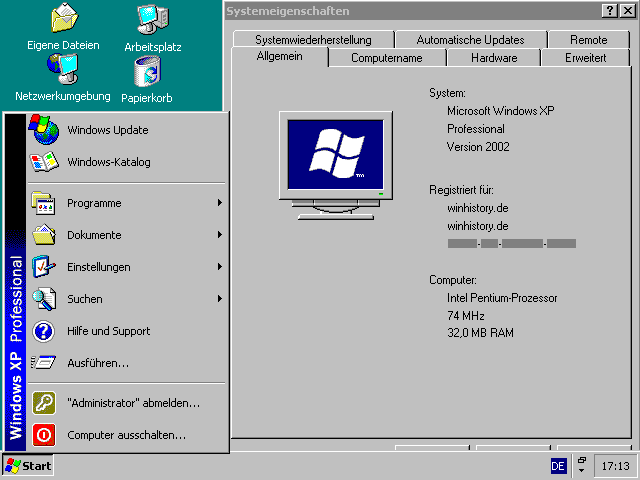
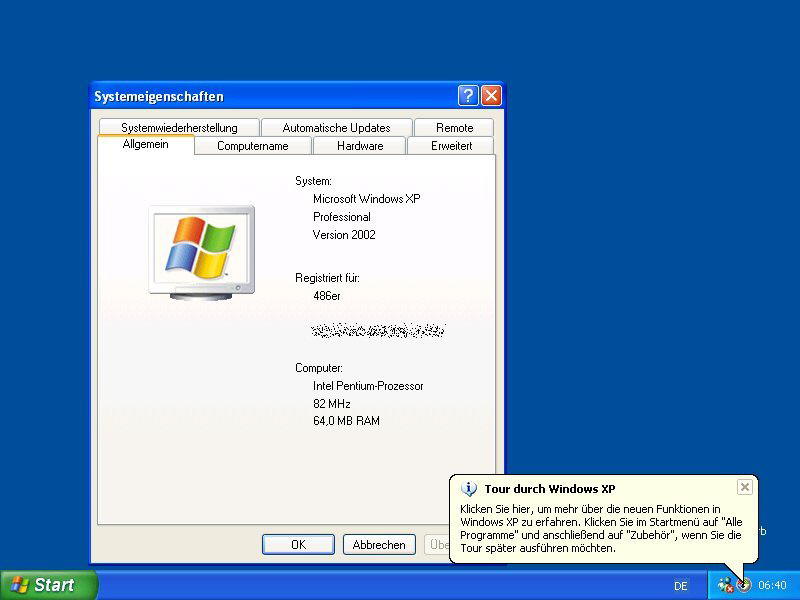
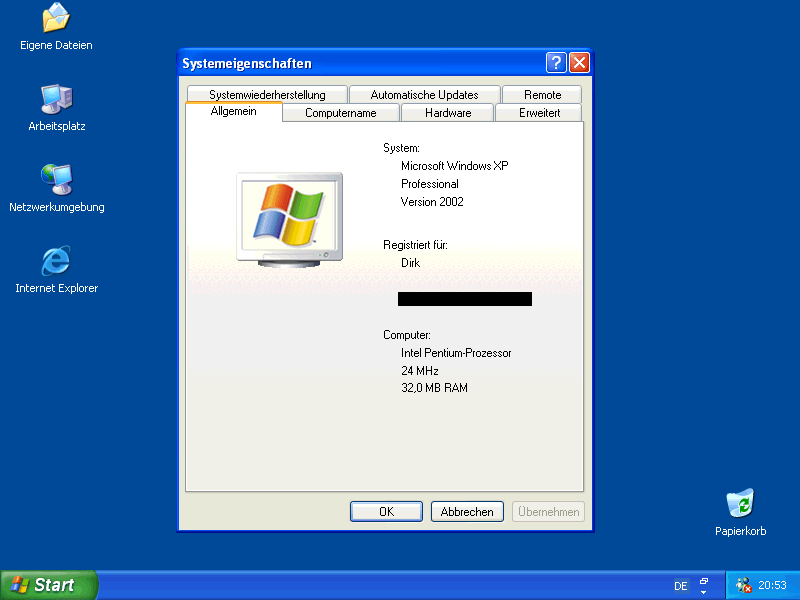
"winhistory.de上的一群家伙设法实现了一个目标:在古董电脑上运行Windows XP专业版,以寻找出XP的最低运行配置:他们使用了Intel Pentiu处理器,频率最低为8 MHz,以及20 MB内存。(XP在内存低于64 MB时会终止安装,这里是在正常安装完毕后移除掉一些内存来实现的)。网站上公布他们实现这个可能的里程碑事件的详细过程。毫无疑问,他们应该可以获得 Golden Hourglass奖,奖励他们“极端浪费时间”(启动都要花上半个小时)。不知道人们在运行Windows中用到了哪些不可思议的配置?"
作者: Mallon    时间: 2008-8-2 14:37     标题: 原文

http://www.winhistory.de/more/386/xpmini_eng.htm

XP Minimal-Requirement-TestThe target of this project was to find the weakest system where you can runWindows XP.Keep in mind, that Microsoft official requirements are a CPU with 233 MHz an 64MB of RAM.But that had to be beaten! Read now about the contest of Antz and me, and how itwill all end inhist record in january 2006.
First try: Socket 5, Pentium 100 MHz and 64 MB RAM
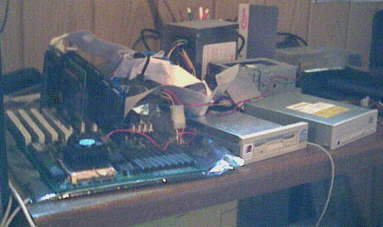
Experimental setup 1:      Gateway 2000 socket 5 mainboard
                Pentium 75 MHz overclocked to 100 MHz
                64 MB RAM, later > 32 MB
                SCSI Harddisk and CD-ROM
                Winner 1000 graphicscard (ISA)
The setup worked without any problems, you only had to spend more time.Windows found a Pentium, but it does not matter if it is a Pentium I, II,III or IV. The 64 MB of RAM are at the setup MINIMUM, if you haveless at this point you get a error and the setup will be ended before it reallystarted. The installation or starting of XP on a 486-system is NOT possible. Wetried it (see below).
After the setup XP is not as fastidiously as before, you can easily removememory.With 16 MB XP will not start anymore, you have to have a little more, see TestTwo.
Back to the CPU, after removing the RAM, it will be set to the originalclock: 75 MHz, which is the lowest cpu clockon this Board and the lowest cpu clock for most socket 5/7 Boards. For the16-colours you had to installan ISA-graphiscard. XP does not really support this cards anymore....

First result: Socket 5, Pentium 75 MHz and 24 MB RAM
Second try: Socket 3, Pentium Overdrive 83 MHz and 64 MB RAM
Experimental setup 2:      Arstoria AS496                socket 3, SiS 496/97 chipset
                Pentium Overdrive @ 83Mhz and 63MHz
                64Mb RAM, at the end 18MB
                IDE Harddisk 6.4GB and CD-ROM
                S3 Trio32 PCI                graphicscard
At a new try to install XP on a 486-system, Antz has succeeded to install iton a socket 3 mainboard (the last socket for 486 cpus).However he used a Pentium Overdrive. This very fantastic kind of technics has anoriginal Pentium core, but with a 32-bitmemory-controller specially constructed for the 486 socket.
Although he wasn't able to use a 486 CPU with this board and XP, he had toset up new records for mimum CPU andRAM


The cpu clock is a composition of  the 33 MHz systembus and a buildinmultiplicator of 2.5 (33 MHz x 2.5 = 83 MHz).Antz had clocked the systembus down to 25 MHz, and with this lower systembus thegot 63 MHz (25 MHz x 2.5 = 63 MHz).That is the new cpu record!  (XP rounds down on 62 MHz)

The memory record was reached with the usage of the 32-bit memory-controller,an ordinary pentium hasa 64-bit memory controller and does need 2 Edo modules (they have a 32-bitinterface), butthis one only needs one modul of Edo.
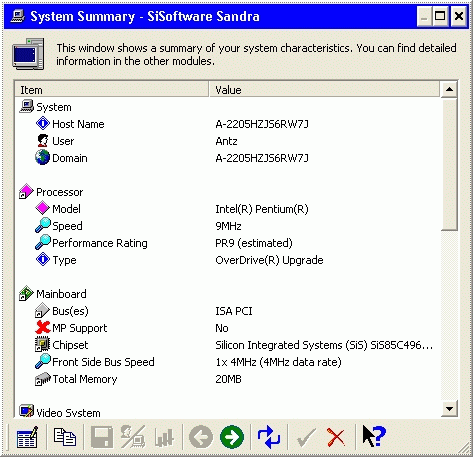
So he tried 24 MB RAM (2x8 MB + 2x4 MB), then 20 MB RAM (2x8 MB + 2x2 MB) andat last:18 MB (2x8 MB + 1x2 MB). And it works great, but the systeminfo shows a wrongsize of RAM: 20 MB...


... but in the taskmanager you can read the real memory size:

Second result: Socket 3, Pentium Overdrive 63 MHz and 18 MB RAM
supplement:
Antz has successful reduced the cpu clock. He only removed the fan of theOverdrive cpu.The fan is power-supported by the cpu, so the cpu can check this and if thefan is missing ,a pentium overdrive will set the multi to one. So the cpu runsof 1x25 MHz insteadwith 2,5x25 MHz. The time for booting is about minutes.


A Overdrive CPU without fan
New second result: Socket 3, Pentium Overdrive 25 MHz and 18 MB RAM
Third try: Socket 4, Pentium 60 MHz and 64 MB RAM
Experimental setup 3:                      Elitegroup SI5PI AIO                (REV. 1.1) Sockel 4
(Installation: sockel 5 board from test 1)
                Pentium 60 MHz
                64 MB RAM, later 32 MB
                SCSI Harddisk and IDE CD-ROM
                Voodoo Rush PCI graphicscard
To beat the CPU-record made by Antz I used the first Pentium-processor: thePentium 60 MHz. It runs synchronously with thefrontsidebus, so he had a multiplicator of one.

The CPU, a ordinary Pentium 60MHz, without FDIV error, for socket 4
But to the beginning a bad surprise: XP always crashed every time in thefirst part of the setup. Because I had no idea why, andnothing helped I did the same as in my  "Windows 98on a 386-system"-try: I changed the board for the time of installation.So I used the board from test 1, and the whole process took about 4 hours.
When I changed the boards XP needed a very, very long time to start up,because it installed the new mainboard devices,but finally: it worked! Until today I don't know what the setup made crash.
It is really simple why I had not chosen another Board (I have a second withIntel chipset), this one can be set easily with the jumpers"S0", "S1" and "S2". Too many jumpers for the two marked modes 60 and 66 MHz. SoI tried to jumper in otherways, one of thistries was:

S0 (J7)S1 (J6)S2 (J5)
2-31-21-2

25 MHz!


The jumperblock, the jumpers5,6,7 regulate the systemclock=CPU clock. Here they are set to 25 MHz.

I have found 50 an 33 MHz too, but why so much power? Of course I halved thememory down to 32 MB.I could not remove more, because I did not own the right modules and I had touse pairs of Edo (64-bit memory-controller...).

When you only run the desktop without any special program, the cpu does not havenot much to do, if you do this at a 25 MHz computerand Windows XP you got this:

One short look in the systemmanager. The list is rather short, the Rush doesnot have any driver andthere is no CPU (but the mainboard chipset is correctly identified).

But I had not finished, and I tried on:

S0 (J7)S1 (J6)S2 (J5)
1-21-21-2

20 MHz!!!


Suprise while booting: 20 MHz!

Although this clock is not possible on most socket 3 Boards, thisone makesit! For what reason this is jumperable? I do not know...There wererumors about a Pentium 50, but the official lowest Pentium is the onewith 60 MHz. Perhaps it had something to do withthe turbo-switch, they were working not uniformly.
The "only-windows"-boot (from the end of the initialation of the BIOS to thefirst icons on the Desktop) will take aboutseven minutes, but you have to add a few more minutes until you can start towork. And remember this system isvery "naked": No sound, no high-res graphics, no USB...

The CPU is working at full capacity to 60 % when you are only using the Desktop! Nowadayswith a modern CPU you had torun much tasks in background to reach such a high level of work.

For this reason you have to be patience very often. Did you ever notice thechanging of the blue color on thescreen before the"Welcome"-page?? You can see all 8 blues line by line with 20 MHz??? Every single window will build up in elements for seconds:

By the way, Windows XP runs with 20 MHz more worser than with 25 MHz. At 20MHz everything was loading much longer, andnot every cold-start was successful... But it's a new record!


Third result: Socket 4, Pentium 20 MHz and 32 MB RAM
Fourth try: New socket 3 Board and again Pentium Overdrive:
Experimental setup:Asus PIV-486SP3 socket 3 Mainboard, SIS 496/97 chipset
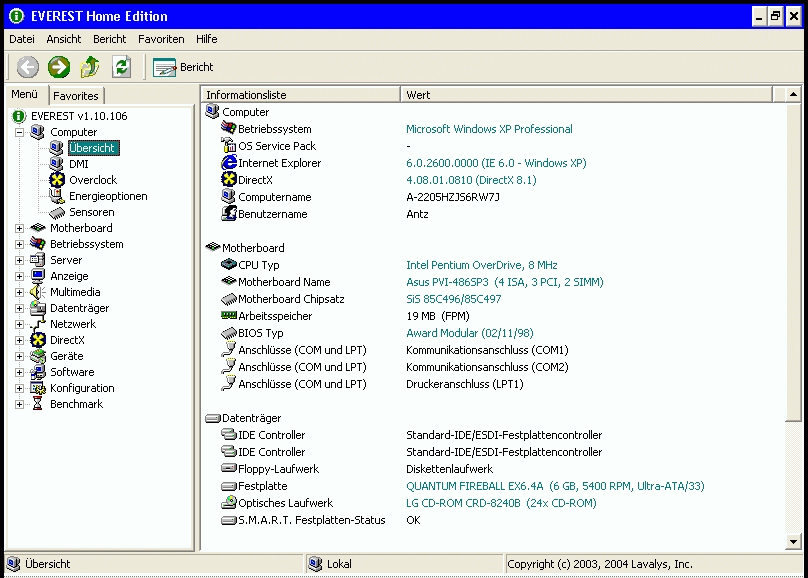
        Pentium Overdrive 83 MHz @ 16/8 MHz
        64 MB RAM, later 20 MB
        EIDE drives
        Vision964-PCI graphics-card
Antz strikes back. With an equal setup like in try number two and a PentiumOverdrive (without fan) downclocked to16 MHz, which you can set with the jumpers JP25-28 on pins 2-3.

The installation was made with the help of nLite during the night.


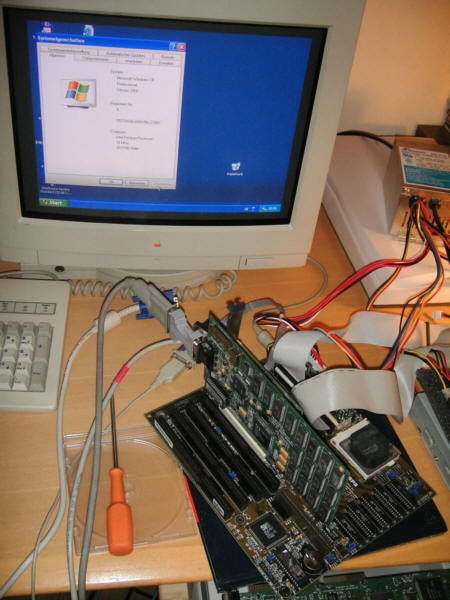
With a little try Antz have made it. The frontsidebus was set down to 8 MHz,XP runs now with the clock of an ISA Slot!

The clock is so little, that the PCI graphics card was unable to bootcorrectly, so Antz had to installan old ISA graphics-card. On the first turn he used a Acance Logic, secondly aCirrus, because this oneallows a 256 colors. The ethernet-card is more stable, it is PCI but runs stillwith 8 MHz,so you can access the internet without a problem. Of course you need time, thehomepage isavailible after 10 minutes.

If you have the same board, here are the settings for jumpering of 8 MHz:
JP25: 2-3
JP26: 2-3
JP27: 1-2
JP28: 1-2

The boottime of this system is extremly long, 30 minutes!After 13 minutes you can see the first icons, but there are 17 minutes more,where you can do nothing, before you can start "working".
Of course the cpu is alltime at 100% all the time, there is no real idlemode:

Now that's quite difficult to strike this, perhaps with a laptop, when youcanthere can set the clock stepless ...


But until this the record of the lamest XP PC goes from Berlin (Germany) toVienna (Austria).
                                The golden Sandclock Award
                For extreme waste of time.
Fourth result: socket 3, Pentium Overdrive 8 MHz & 20 MB RAM
Benchmarks:
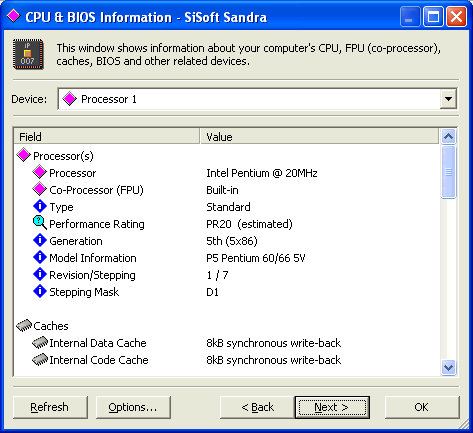
             Pentium 20 MHz
    (Win XP)
    Pentium 25 MHz
    (Win XP)
    reference
        486 SL 25 MHz
    (Win 95)
    Pentium Overdrive 16 MHz (Win XP)    Pentium Overdrive 8 MHz (Win XP)
    Norton SI 4.0, DOS 63,479,253,850,725,3
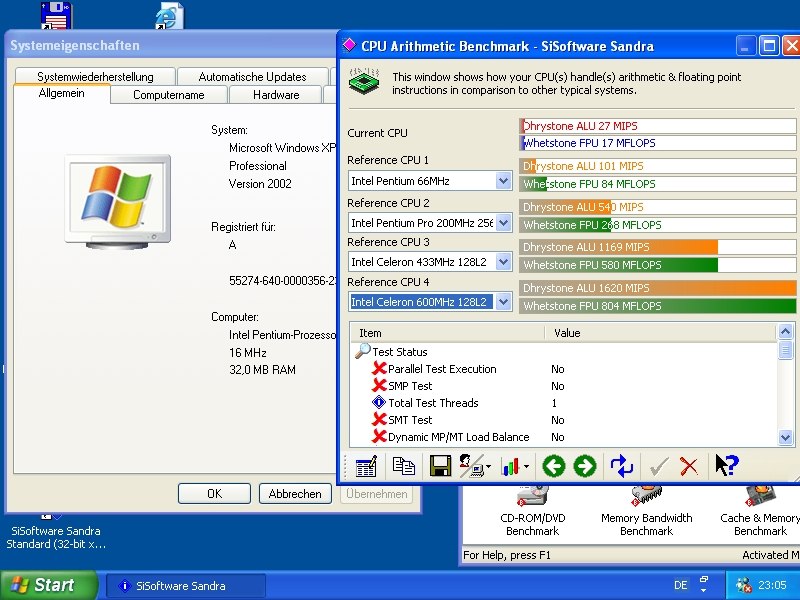
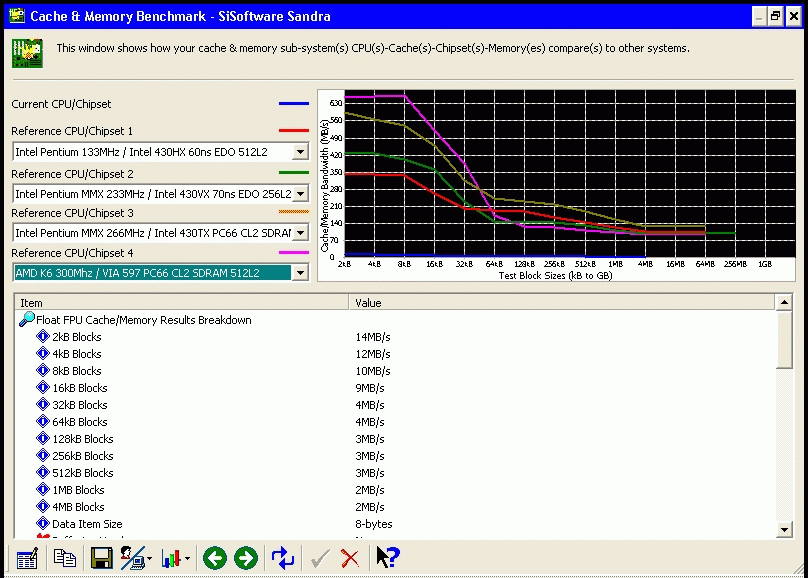
    SiSoft Sandra 2001 Dreystone (Windows)43 MIPS54 MIPSnot possible
    (Win 95)
27 MFLOPS9 MFLOPS
    SiSoft Sandra 2001 Whetstone (Windows)22 MFLOPS21 MFLOPSnot possible
    (Win 95)
17 MFLOPS6 MFLOPS
    DrHardware 5.5
    Hardstones (DOS)
167432099811088149217317
    DrHardware 5.5
    Softstones (DOS)
72879142490258302915
    PrimJNold
    (Windows)
393,60 sec305,13 sec.311,40 sec.
    Bootzeit11 Min9 Min2 Min14 Min30 Min
    Systemauslastung Idle63 %46 % 52 %100 %
Benchmark Screenshots:
20 MHz Pentium Sandra20 MHz Sandra16 MHz Everest16 MHz Sandra
8 MHz Sandra8 MHz Sandra8 MHz Sandra
  

[size=-2]


欢迎光临 幽游生活 (http://www.yylive.net/) Powered by Discuz! 7.2